FFT(Fast Fourier transform) is first developed to speed the DFT(Discrete Fourier transform). Below is my matlab code. To be brief, it is similar to an divide and conquer algorithm. The complexity of FFT is O(NlogN).
1
2
3
4
5
6
7
8
9
10
11
12
13
14
15
16
17
18
function[ X ] = ( x, N ) wn = exp(i*2*pi/N); X = 0:N-1; if(N==1) X(1)=x(1); return ; end y0 = 0:N/2-1; y1 = 0:N/2-1; for k = 0:N/2-1 y0(k+1) = x(k+1) + x(k+1+N/2); y1(k+1) = (x(k+1) - x(k+1+N/2))*wn^(k); end Y0 = FFT(y0, N/2); Y1 = FFT(y1, N/2); for k = 0:N/2-1 X(2*k+1) = Y0(k+1); X(2*k+1+1) = Y1(k+1); end end
Usually, the FFT is applied to image processing, where 2-dimensional FFT is used more frequently. Here is the 2-dimensional FFT code.
function[ img ] = FFT2( img, M, N ) fori = 1:M img(i,:) = FFT(img(i,:), N); end forj = 1:N img(:,j) = FFT(img(:,j),M); end end ```
After operations in frequency domain, transformation from frequency domain to time domain is necessary. This is often realized by Inverse Fast Fourier transformation(IFFT). The difference between FFT and IFFT is just the choice of base functioninfrequencydomain. Belowistheand 2-dimensionalcode. ```Matlab function[ X ] = IFFT( x, N ) wn = exp(-i*2*pi/N); X = 0:N-1; if(N==1) X(1)=x(1); return ; end y0 = 0:N/2-1; y1 = 0:N/2-1; for k = 0:N/2-1 y0(k+1) = x(k+1) + x(k+1+N/2); y1(k+1) = (x(k+1) - x(k+1+N/2))*wn^(k); end Y0 = IFFT(y0, N/2); Y1 = IFFT(y1, N/2); for k = 0:N/2-1 X(2*k+1) = Y0(k+1); X(2*k+1+1) = Y1(k+1); end end
1
2
3
4
5
6
7
8
function[ img ] = IFFT2( img, M, N ) fori = 1:M img(i,:) = IFFT(img(i,:), N); end forj = 1:N img(:,j) = IFFT(img(:,j),M); end end
Application of FFT in Imageprocessing
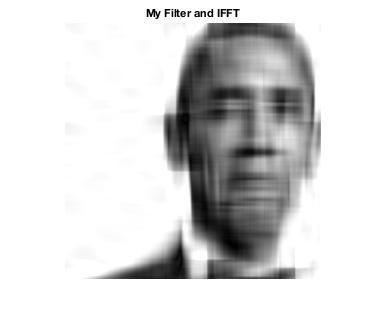
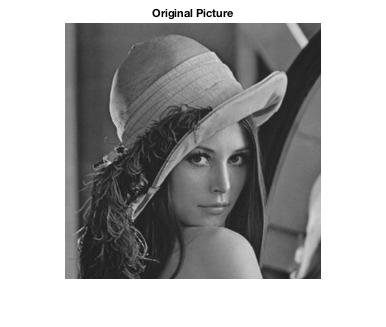
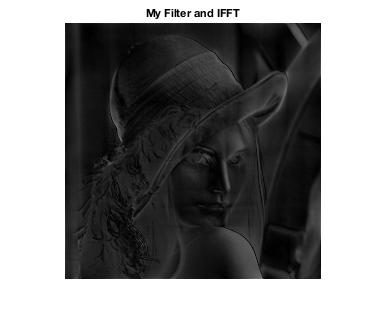
Below is the code I’ve written to do imageprocessing and test my FFT.






近期评论