
为了向窗口中添加按钮,我们需要了解如何将按钮小部件添加到现有的Pyqt窗口,以及了解如何将单击连接到Python方法。
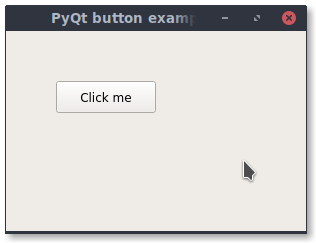
示例
1
2
3
4
5
6
7
8
9
10
11
12
13
14
15
16
17
18
19
20
21
22
23
24
25
26
27
28
29
30
|
import sys
from PyQt5 import QtCore, QtWidgets
from PyQt5.QtWidgets import QMainWindow, QLabel, QGridLayout, QWidget
from PyQt5.QtWidgets import QPushButton
from PyQt5.QtCore import QSize
class (QMainWindow):
def __init__(self):
QMainWindow.__init__(self)
self.setMinimumSize(QSize(300, 200))
self.setWindowTitle("PyQt button example - pythonprogramminglanguage.com")
pybutton = QPushButton('Click me', self)
pybutton.clicked.connect(self.clickMethod)
pybutton.resize(100,32)
pybutton.move(50, 50)
def clickMethod(self):
print('Clicked Pyqt button.')
if __name__ == "__main__":
app = QtWidgets.QApplication(sys.argv)
mainWin = MainWindow()
mainWin.show()
sys.exit( app.exec_() )
|




近期评论