
比较喜欢暗色的Eclipse主题,安装了Eclipse color theme,使用了Oblivion这个黑色背景的主题。
更换了暗色的Eclipse主题后,Debug时看不清文字:
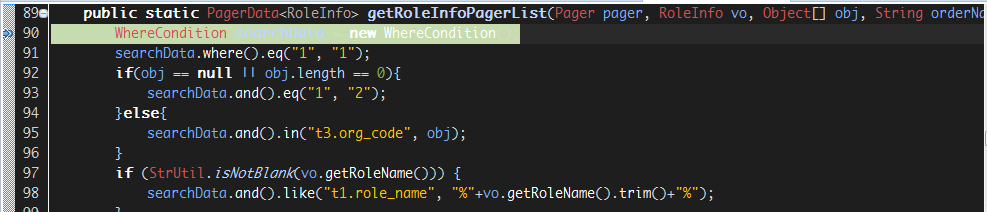
需要更背景颜色,在Eclipse的:
Window → Perferences → GeneralEditorsText EditorsAnnotations page. It’s called “Debug Current Instruction Pointer”
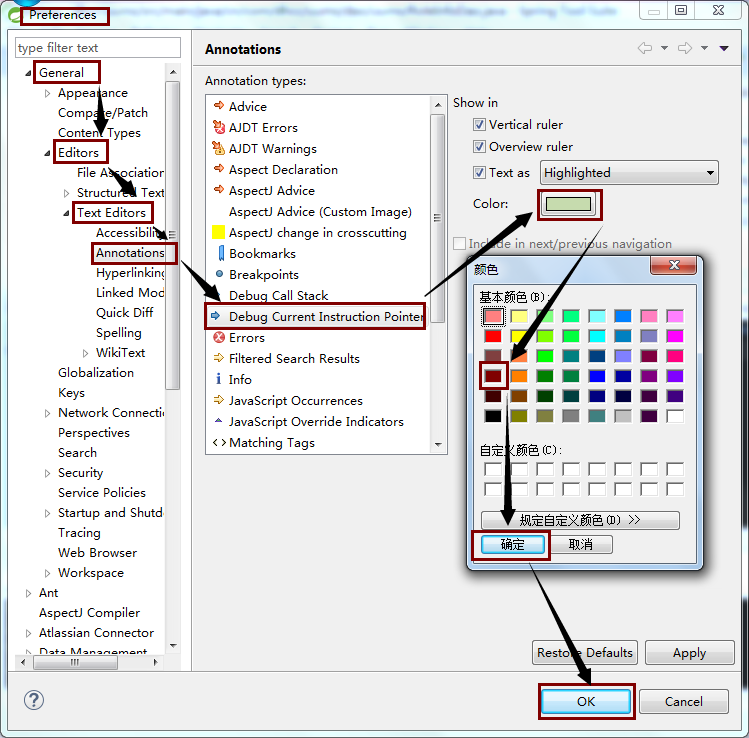
选一个自己喜欢的颜色就可以了:
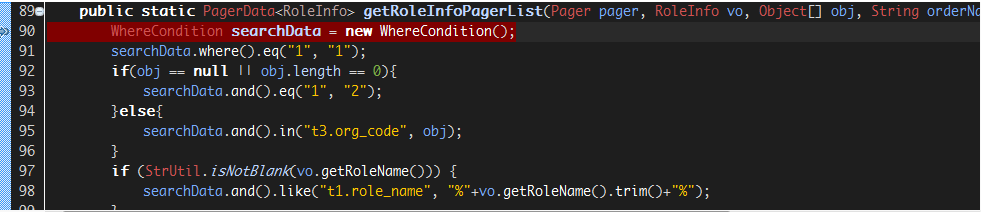
比较喜欢暗色的Eclipse主题,安装了Eclipse color theme,使用了Oblivion这个黑色背景的主题。
更换了暗色的Eclipse主题后,Debug时看不清文字:
需要更背景颜色,在Eclipse的:
Window → Perferences → GeneralEditorsText EditorsAnnotations page. It’s called “Debug Current Instruction Pointer”
选一个自己喜欢的颜色就可以了:




近期评论